HoloLens scene initialization
Yesterday I started collaborating in a little project that uses HoloLens (with Andrea… do you remember the guy of presence vs immersion article?) and as every normal guy working with this new device, I started looking at Microsoft Academy videos and articles.
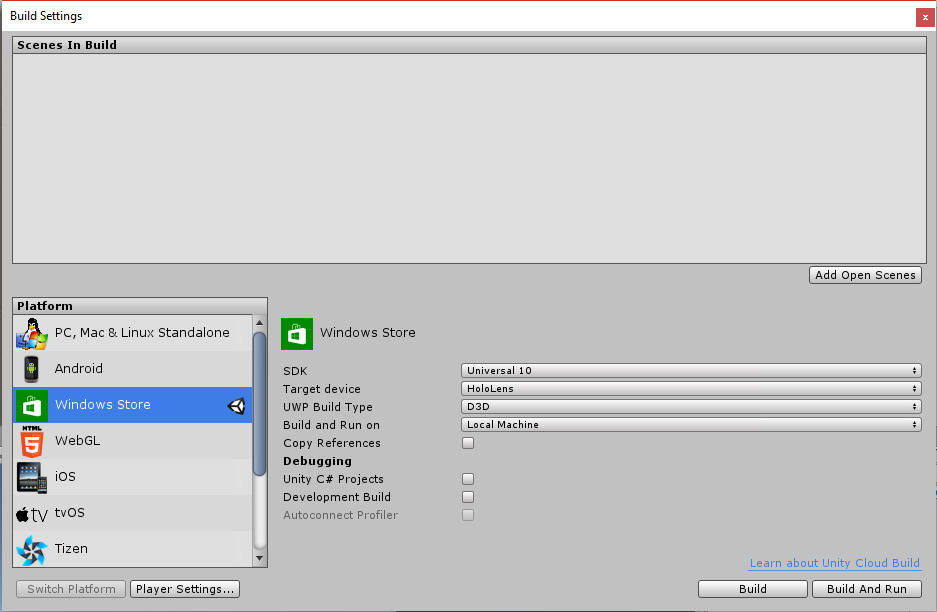
First thing I discovered is that HoloLens requires you to change lots of settings in scene and in build parameters and this is soooooo boring. So I’ve said to myself “why can’t I write an editor script and do all this stuff automatically? I’ve already made something similar for our multi-build setup of ImmotionRoom, so it is something that I know how to do in few minutes”. Two hours of scripting later I discovered that maybe I over-estimated my capabilities (and the documentation of Unity Editor classes). And, even worse, I discovered that this feature is already present in that swiss knife that lies under the name of HoloToolKit (if you develop for HoloLens in Unity and you don’t use the HoloToolKit, you’re just a fool) 😀

But I decided that my awesome work deserved to be distributed anyway, so here you are my HoloLens project setup script package! It is a simple package you can download and import in your project, then you can use ImmotionRoom menu to set everything up for your HoloLens project! Advantage over HoloToolkit solution is that it changes everything, from scene to camera settings, just in one click, without prompting a window or such, so it is really faster and handier. And it doesn’t require you to re-load the project to do some strange Asset Serialization stuff. The problem is that it overrides all your quality settings, so whatever graphical quality settings you have, they will be changed so to match the typical “Fastest” parameters (this is due to the fact that in Unity you can’t change Default Quality Settings via script… so I had to make a workaround… damn!). So in my opinion, for a quick-and-dirty HoloLens prototype my script is better, becuase it is handier… for a complex project, it is better HoloToolkit solution because offers you more flexibility.
Furthermore, I released it with full code and MIT license (meaning, “do the f*ck you want with it” :D) so that you can study it and learn how to do an editor script that changes settings for build and modifies objects in the scene. Since this stuff is very poorly documented (like the Virtual Reality SDKs settings case that I’ve discussed here), the more examples you have, the better it is.
So, download it and have fun with it!
Disclaimer: this blog contains advertisement and affiliate links to sustain itself. If you click on an affiliate link, I'll be very happy because I'll earn a small commission on your purchase. You can find my boring full disclosure here.