VRidge + SteamVR: VR Server has stopped working
I’m working with some Riftcat VRidge-related stuff: you already know that I like VRidge and I’ve also written a tutorial on how to make it work with Kinect.
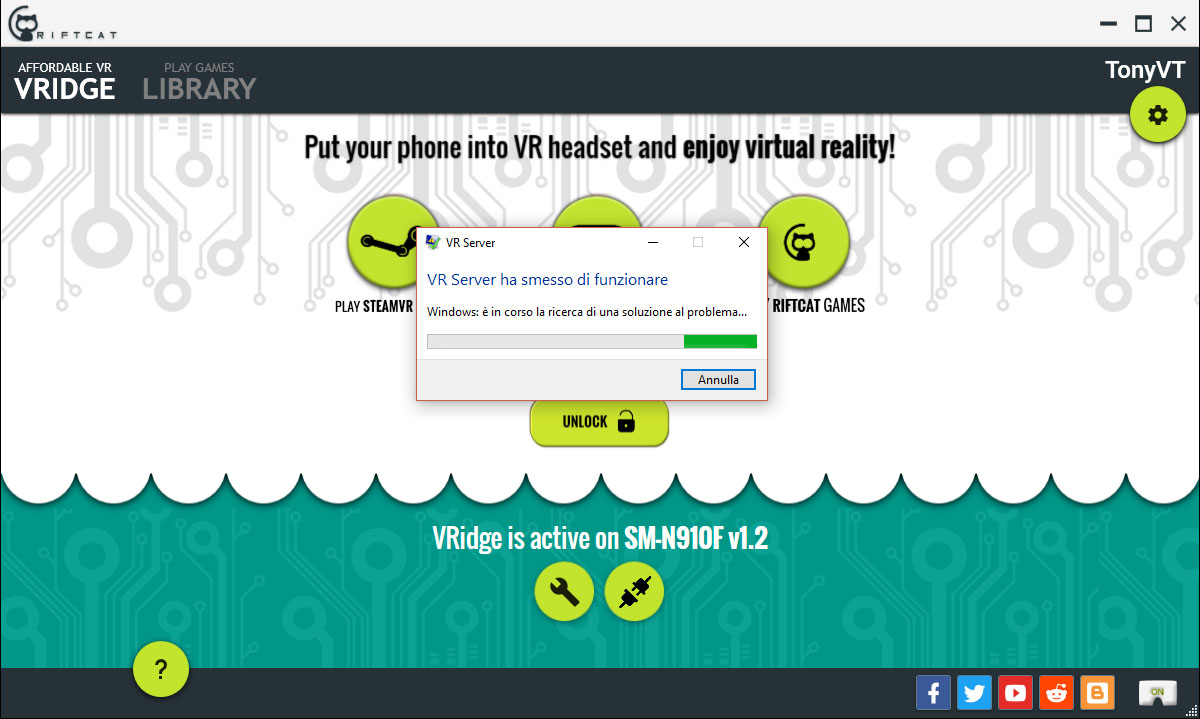
But since Yesterday I wasn’t able to make it work with SteamVR in any way: when SteamVR launched, I got a “VRserver.exe has stopped working” window and everything came to a catastrophic end. I tried some of the standard solutions as:
- Restarting the computer;
- Re-installing VRidge;
- Trying VRidge beta versions (now I’m in its super-secret team)
- Deleting SteamVR config files
- Changing streaming/tracking options
but with no luck. I was going to launch the PC monitor out of the window when I decided to try a strange thing. I thought that it may be all Zuckerberg’s fault (it’s always his fault 😀 😀 :D) and so decided to kill Oculus. Bam! VRidge started working like a charm. Don’t know why this happens (maybe SteamVR trying to load Oculus drivers as default and getting crazy when it finds VRidge) and if it will be fixed (hope so)… anyway, if you’re in my same situation, this workaround can help. First of all, close VRidge and SteamVR. Then, open Task Manager (CTRL + SHIFT + ESC) and kill in this exact order:
- OVRServiceLauncher
- OVRServer_x64

And then everything should work fine when you re-open VRidge. If you want to use your Oculus headest later on, you can restart your OVR service through Task Manager (Services tab) or restart your computer.

I know that this isn’t a complete solution (this should be made at every restart of the PC) but can make you have fun with VRidge if you’re eager to try it and keep having the same problem 🙂
Hope to have helped you 🙂
Disclaimer: this blog contains advertisement and affiliate links to sustain itself. If you click on an affiliate link, I'll be very happy because I'll earn a small commission on your purchase. You can find my boring full disclosure here.