Prehension lets you easily implement gestures in your VR games
In my AWE preview article, I told you about Prehension AI, a startup developing an SDK to help developers implement hand gestures in their MR/VR applications. At AWE US, I’ve been able to get hands-on with it quickly, and these are my impressions.
Prehension AI
Prehension is a startup that offers a Unity SDK to detect hand gestures easily. The gestures the company focuses on are the animated gestures, so not simple hand poses (like the fist), but gestures made by a hand moving in time, like this (very Italian) one.
The problems with animated gestures are mainly two:
- You have to detect a gesture that is not just a simple hand pose, but that includes the movement of the hand and fingers over time
- Every person will perform the gesture in a different way, and detecting the gesture in a way that works for every user is incredibly difficult.
Prehension aims to solve both these problems, offering a ready-to-use plugin that detects whatever gesture you want.
Hands-on: Recording a gesture
Alex from Prehension was kind enough to show me the process of recording a new gesture at AWE. You basically go to a specific Unity scene provided by the plugin, wear your Quest + Link, and then press play. At runtime, you select which gesture you are recording (gestures are associated with a name), and then you hit record and perform the gesture with your hand (remember that you are using Quest+Link, so the hands are detected by the Quest runtime). Then you can perform the gesture multiple times to provide more samples: ideally, you should ask more people to perform the gesture so that you have more variance in the training data about how the gesture is executed.
After you have recorded all the samples for all the gestures that you want, you stop Play Mode, and you press a specific editor button of the plugin to start the training of the Machine Learning model. The training happens on the cloud, and then the model is downloaded back to your project, so it can also work without an internet connection. The time for the training is pretty small: at AWE, with three detected gestures and 5-6 samples for each gesture, it was like 1 minute.
Notice that you can also update the model later. At AWE, I was able to add a specific gesture sample on top of all the samples that Prehension already recorded before. But for every new sample, you have to re-update the whole model; you can’t just update a single part of it, because new samples may change all the classification weights.
Hands-on: detecting a gesture
After the ML model is ready, you can create a Unity scene where a specific Prehension script tells you if a gesture has been detected. Notice that the system detects a gesture only if your movement truly resembles that gesture. What I mean is that if you record three gestures and you perform a movement that doesn’t resemble any of the three, the classifier just returns that no gesture has been detected; it doesn’t force the recognition to one of the three classes.
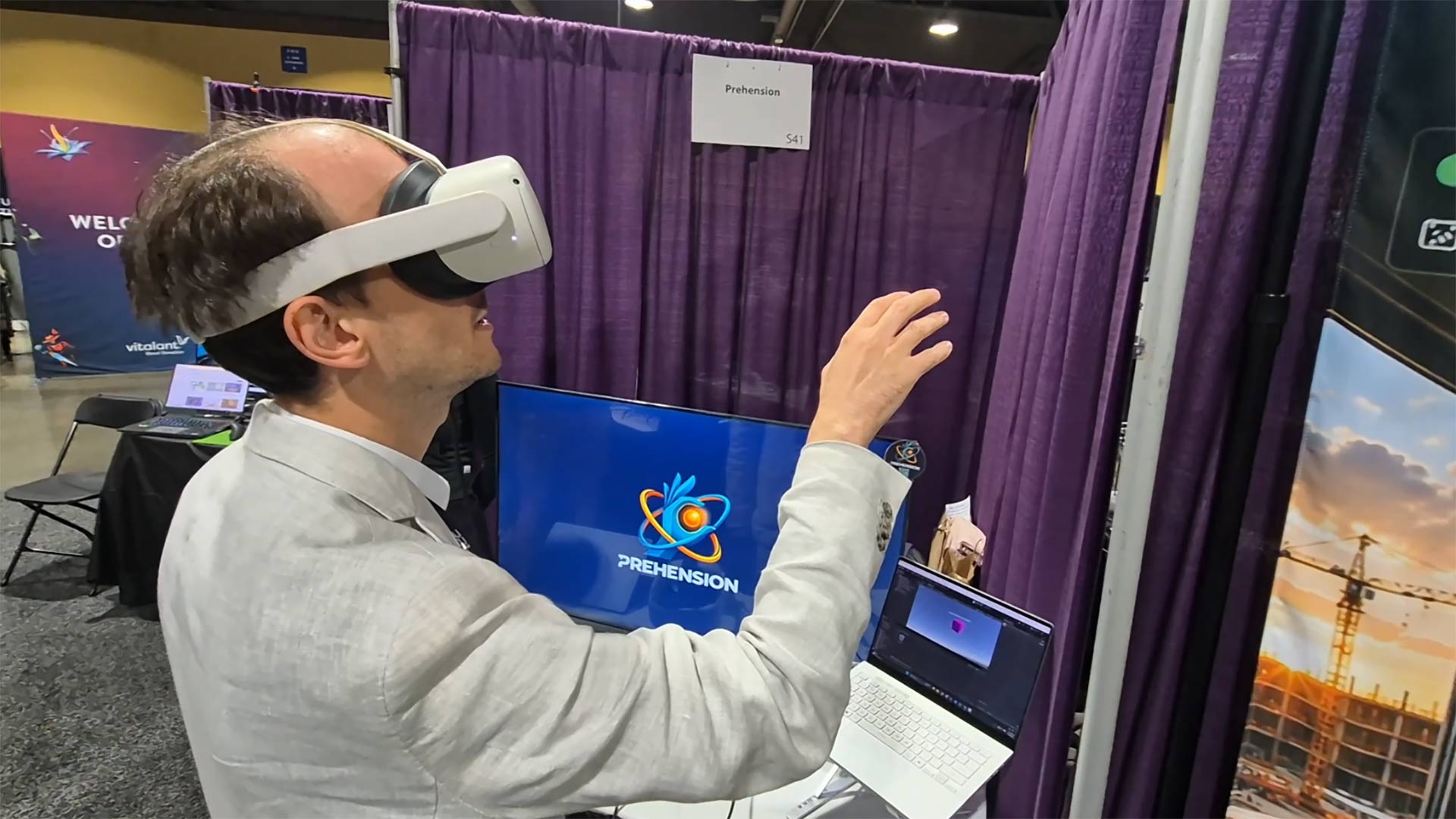
I was able to test a simple scene where a cube performed animations depending on my hand movements (I guess it was the perfect demo for me: I love cubes, and as an Italian, I love hand gestures). It worked fairly well: as soon as I understood how to interact with the demo, I was able to trigger the animation of the cube I wanted by just moving my hands.
It’s interesting to notice that the system didn’t work well only for the animation for which I recorded my own sample, but also for the other hand gestures. This means that the classifier was already “general” enough to detect also the hand gestures of someone whose peculiar movements were not in the training data. This says a lot about the quality of this SDK.
Price and release date
Prehension AI’s SDK is currently in private beta: you can contact the company at this website to test the SDK and start a collaboration with them. When it is publicly available, you will be able to use it by paying a monthly subscription fee.
Final considerations
I just had a few minutes to test Prehension, but I came out with pretty good impressions about it. The SDK was very easy to use, and the detection of the gestures worked very well, even in messy conditions like the ones of a small booth at AWE. Some things still feel very “beta”, like the recording scene is graphically quite rough, but who cares if the product works?
I think the product is interesting, because it saves a lot of time for developers wanting to integrate hand gestures in their applications. Doing the same thing by hand would require a lot of time and effort (provided you have ML knowledge), while Prehension offers it out of the box.
The big unknown to understand its potential is the price. If it were free, I would use it myself tomorrow. But if the price is too high, no indie developers could afford it. The other big question is the sustainability of the company: in such a negative moment for VR, it has to be understood if there are enough VR developers needing specifically animated hand gestures for their applications to sustain the company’s business.
I guess we’ll see. For now, I can just say that it’s an interesting XR SDK that solves a very specific problem in our field. For the rest, time will tell.
Disclaimer: this blog contains advertisement and affiliate links to sustain itself. If you click on an affiliate link, I'll be very happy because I'll earn a small commission on your purchase. You can find my boring full disclosure here.